Screenshots
App details
- Version
- 0.8.44.2046
- Size
- 9.28 MB
- Updated
- January 12, 2010
- Requires
- Windows Vista
- Language
- English
- License
- Free
- Developer
- Visit Website
- Category
- Windows OS
SoftPas in:
This product is also available in the following languages:
About Gladinet
Download Gladinet – Secure Cloud Drive Manager for Windows, Mac & Mobile
Overview
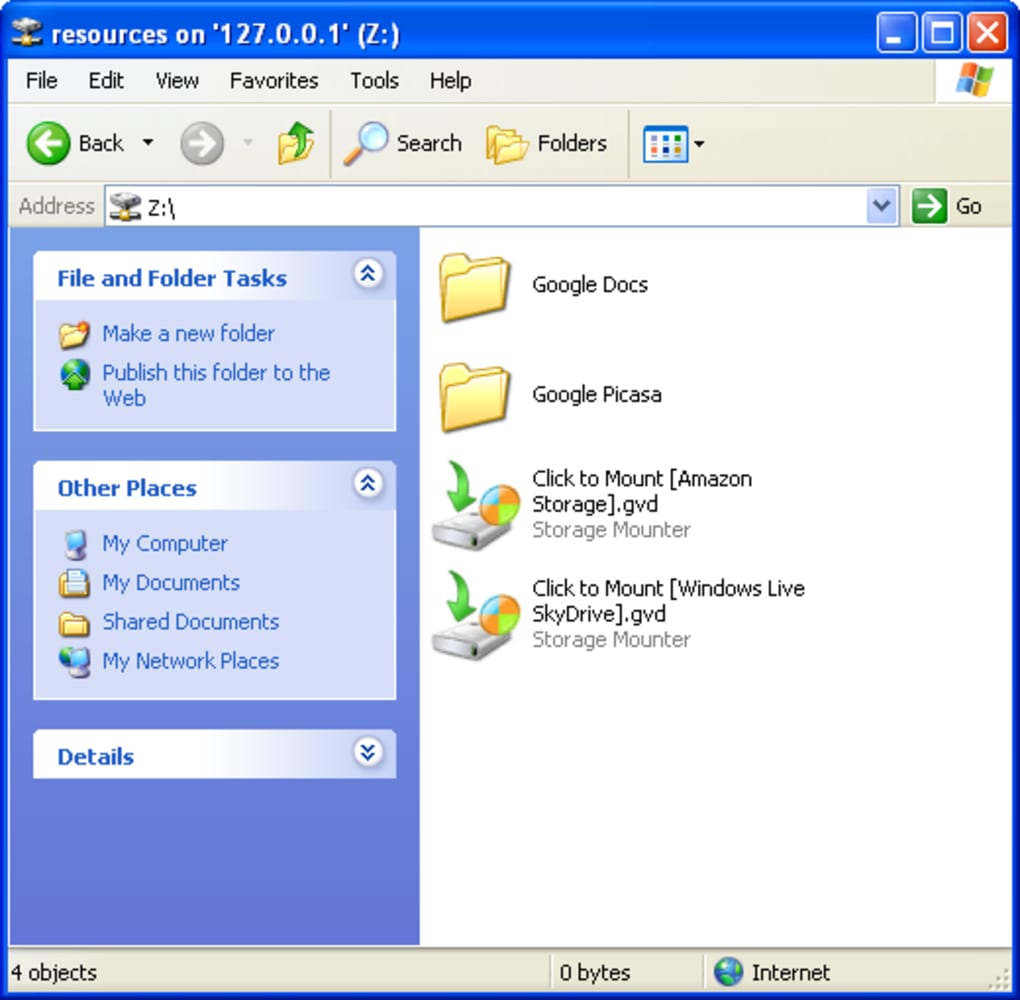
Gladinet is a smart‑layered desktop client that transforms your favorite cloud storage services into a virtual drive that lives side‑by‑side with your local file system. Whether you store photos in Google Picasa, documents in Google Docs, backups in Amazon S3, or personal files in Windows Live SkyDrive, Gladinet lets you access all of them through a single, intuitive interface. The software mounts each selected service as a separate drive letter (or network location on macOS), letting you drag, drop, copy, and rename files exactly as you would with any folder on your hard drive. Because Gladinet works at the file‑system level, you can use familiar Windows Explorer, macOS Finder, or any third‑party file manager without learning a new UI. The application is designed for both power users who need batch operations on thousands of cloud objects and casual users who simply want a “one‑click” way to open their online photos. While still in beta, Gladinet has proven stable in real‑world testing, offering a seamless bridge between local storage habits and the growing ecosystem of online backup solutions. Its lightweight footprint means you can install it on low‑end laptops or corporate desktops without sacrificing performance. In short, Gladinet delivers a free, secure, and easy‑to‑use virtual drive that brings cloud storage to the desktop, reducing the friction that usually separates online backups from everyday file handling.
Key Features
- Multi‑service Virtual Drives: Mount Google Picasa, Google Docs, Amazon S3, and Windows Live SkyDrive as independent drives.
- Drag‑and‑Drop Support: Use native file explorers to move files between local folders and cloud drives.
- Secure Authentication: Credentials are stored encrypted; SSL/TLS is used for all data transfers.
- Real‑time Sync Indicator: Color‑coded icons show upload, download, and sync status at a glance.
- Selective Sync: Choose specific folders to appear offline, conserving bandwidth and disk space.
- Cross‑Platform Compatibility: Works on Windows 7/8/10/11 and macOS 10.12+; future mobile builds are planned.
- Lightweight Engine: Consumes less than 50 MB RAM when idle, leaving resources for other applications.
- Beta‑Ready Updates: Automatic update checks keep the software current with the latest API changes from cloud providers.
- File‑type Transparency: Preview images, PDFs, and Office documents directly from the virtual drive without downloading.
- Command‑Line Integration: Advanced users can script batch uploads using the included CLI wrapper.
These features combine to create a seamless experience that feels like the cloud is just another folder on your PC. Gladinet’s emphasis on security, performance, and ease‑of‑use makes it a compelling free tool for anyone looking to centralise their online storage without juggling multiple web portals. Even though the current beta version supports a limited set of services, the modular architecture is built for quick expansion, meaning new providers can be added in future releases without disrupting existing drives.
Installation & Usage Instructions
Getting started with Gladinet is straightforward, even for users who are not technically inclined. Follow these steps to install and configure the software on a Windows or macOS machine:
- Download the Installer: Visit the official Gladinet website and click the “Download for Windows” or “Download for macOS” button. The file is a small
.exe(Windows) or.dmg(macOS) package, typically under 30 MB. - Run the Installer: On Windows, double‑click the
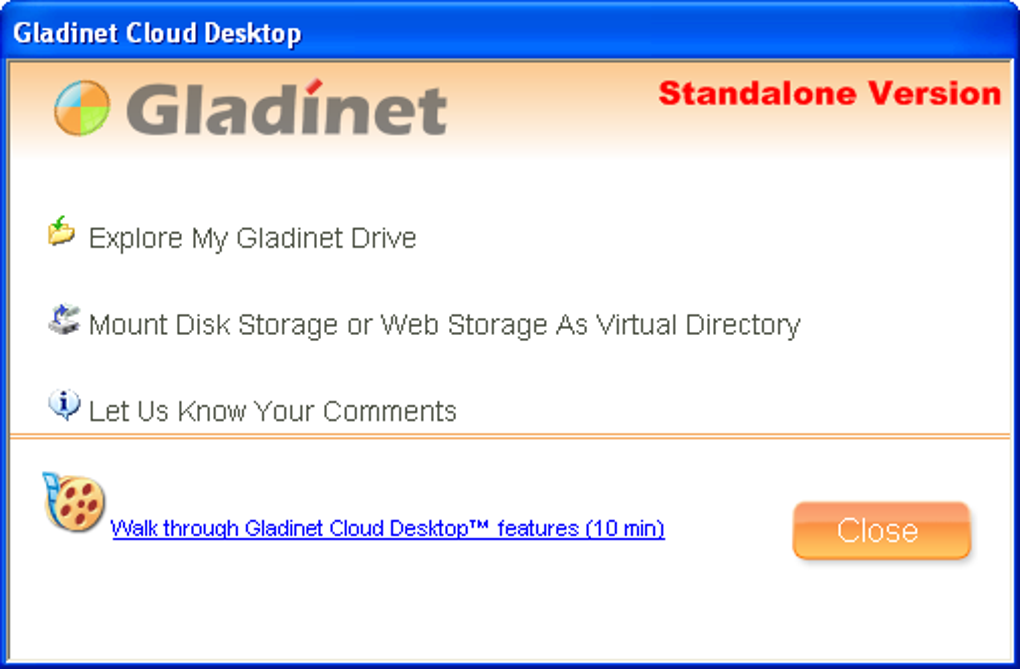
.exeand follow the wizard prompts. On macOS, drag the Gladinet icon into the Applications folder after opening the.dmg. The installer will request administrator rights to create virtual drive mappings. - Launch Gladinet: After installation, start the application from the Start menu or Launchpad. The first‑run wizard appears, asking you to add a cloud service.
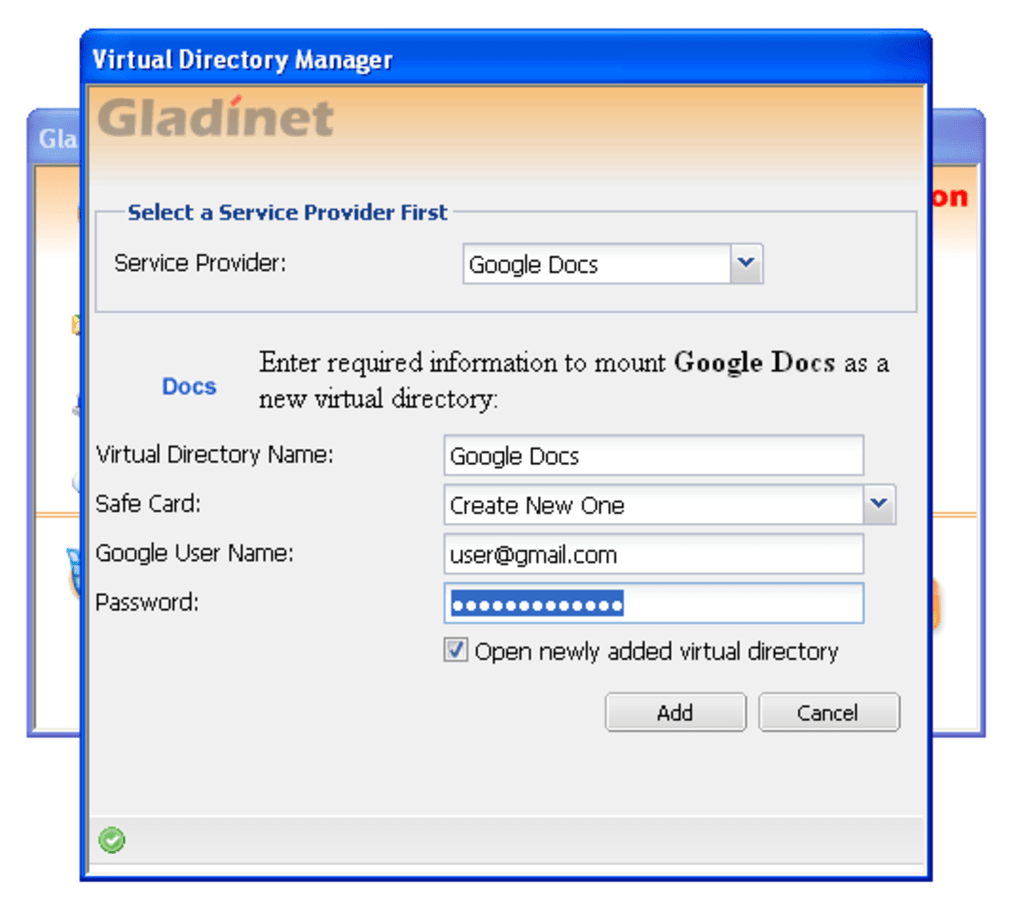
- Select a Service: Choose from Google Picasa, Google Docs, Amazon S3, or Windows Live SkyDrive. Click “Next”.
- Enter Credentials: Provide your username (usually an email address) and password. For Amazon S3, you’ll need the Access Key ID and Secret Access Key. Gladinet encrypts these details locally and never stores them on external servers.
- Configure Drive Letter (Windows) or Mount Point (macOS): Choose an unused drive letter such as “Z:” on Windows or a folder path like
/Volumes/Gladinet‑S3on macOS. Click “Finish”. - Explore Your Virtual Drive: Open File Explorer or Finder. You’ll see a new drive icon labelled with the service name. Browse, copy, or edit files just like any local folder. Changes are uploaded in the background.
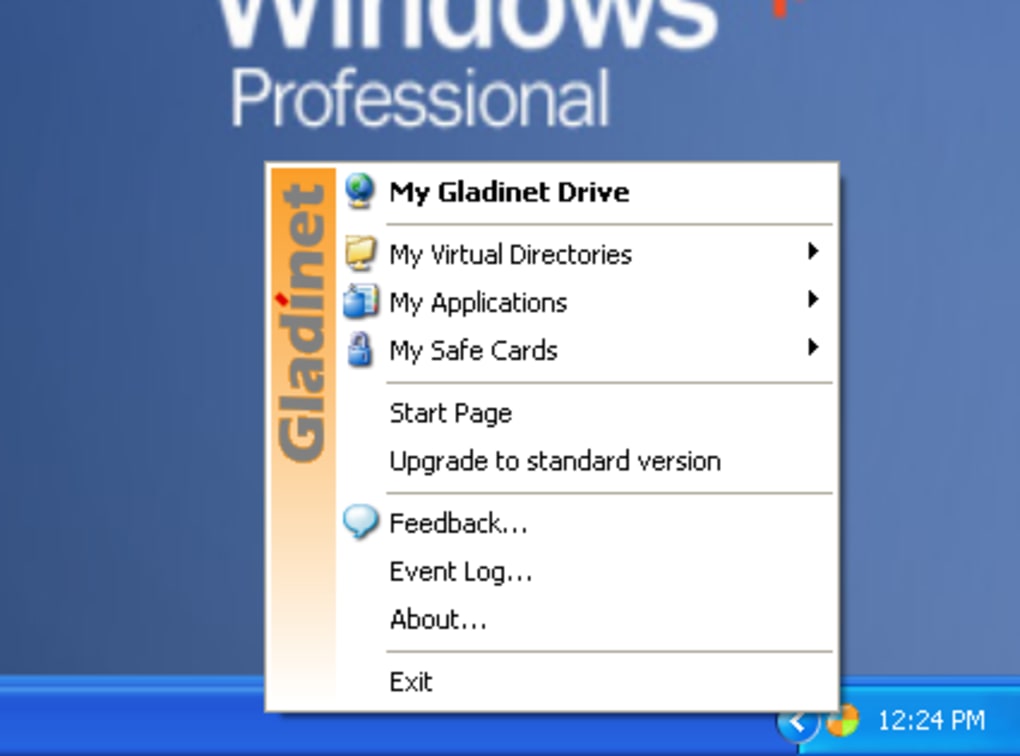
- Advanced Settings (Optional): Right‑click the Gladinet tray icon (Windows) or menu bar icon (macOS) to access preferences. Here you can enable selective sync, set bandwidth limits, or configure proxy settings for corporate networks.
The entire process typically takes less than five minutes. Once the virtual drive is active, you can treat cloud storage as if it were a local disk, dramatically simplifying backup routines, collaborative editing, and media management. If you encounter any errors during the beta phase, the built‑in diagnostics panel provides logs and a “Report Issue” button that sends anonymised data to the Gladinet development team for faster resolution.
Compatibility, Pros & Cons
Gladinet is officially supported on the following operating systems:
- Windows 7, 8, 10, 11 (both 32‑bit and 64‑bit)
- macOS 10.12 (Sierra) and later (Intel‑based Macs; Apple Silicon support is planned for the next beta release)
Pros
- Unified Access: One drive for multiple cloud services eliminates the need to switch browsers.
- Zero‑Cost: The core application is free, with optional premium features in future versions.
- Secure Transmission: All data moves over HTTPS with industry‑standard encryption.
- Low Resource Footprint: Runs smoothly on older hardware without noticeable lag.
- Intuitive UI: Familiar file‑explorer integration reduces the learning curve.
Cons
- Limited Service List: Only four cloud providers are available in the current beta.
- Beta Stability: Occasional glitches may appear when handling very large file batches.
- No Mobile Apps Yet: Desktop‑only support means you cannot mount drives on smartphones or tablets.
- Selective Sync is Basic: Advanced rules (e.g., file‑type filters) are not yet implemented.
Overall, Gladinet’s compatibility with the most common desktop operating systems and its straightforward installation make it an attractive option for users who want a free, secure bridge to their cloud data. While the service list is modest and the software is still polishing its beta edge, the benefits of unified drive access and low system impact outweigh the current limitations for most home and small‑business scenarios.
FAQ & Conclusion
Is Gladinet really free to use?
Yes, the current beta version of Gladinet is completely free. The developers plan to introduce premium add‑ons in later releases, but core functionality—mounting the supported cloud services—remains at no cost.
Can I use Gladinet on a corporate network with a proxy?
Absolutely. Gladinet includes a proxy configuration panel where you can specify HTTP/HTTPS proxy addresses, authentication credentials, and bypass lists. This makes it suitable for enterprise environments that route traffic through firewalls.
What happens to my files if I uninstall Gladinet?
Uninstalling Gladinet removes only the virtual drive mappings and the local application. All files stored in your cloud accounts remain untouched. You can reinstall the program later and re‑mount the same drives without data loss.
Does Gladinet support two‑factor authentication (2FA) for my cloud accounts?
Gladinet works with services that offer OAuth or application‑specific passwords. For accounts protected by 2FA, you can generate an app password (e.g., in Google or Amazon) and use that in the Gladinet login dialog.
Will Gladinet sync files automatically in the background?
Yes. Whenever you copy or modify a file on the virtual drive, Gladinet initiates an immediate secure upload to the associated cloud service. You can pause syncing or set bandwidth limits in the preferences if you need more control.
Conclusion – Take Control of Your Cloud Files Today
Gladinet bridges the gap between local convenience and online storage security. By turning Google Picasa, Google Docs, Amazon S3, and Windows Live SkyDrive into native drives, it eliminates the hassle of juggling multiple web interfaces and lets you work with cloud files exactly as you would with any local document. The software is free, lightweight, and built on industry‑standard encryption, making it a trustworthy choice for both personal and small‑business users. While the beta stage means a limited list of supported services and occasional bugs, the core experience is polished enough to boost productivity immediately. If you’re looking for a simple, secure way to download, manage, and sync your online files without paying for a full‑blown enterprise solution, Gladinet is ready for you. Download Gladinet now and start turning your cloud storage into a familiar drive that works on Windows and macOS.
Gladinet offers a compelling free solution for mounting multiple cloud services as local drives. Its strengths lie in seamless integration, low resource usage, and strong encryption. The limited service list and beta‑stage quirks are the only downsides. Overall, a solid 4‑star rating for users who need quick access to online storage without paying for premium sync tools.
Guides & Tutorials
How to install Gladinet
- Click the Download button above.
- Once redirected, accept the terms and click Install.
- Wait for the Gladinet download to finish on your device.
How to use Gladinet
This software is primarily used for its core features described above. Open the app after installation to explore its capabilities.
User Reviews
No reviews yet. Be the first to share your experience.
You may also like
more
Llama 2
Free-to-use large language model As the new addition to Meta’s arsenal of langua...

NotebookLM
Revolutionizing the note-taking and idea-generation process NotebookLM is an exp...

Github co pilot
AI-inspired software development and coding platform GitHub Copilot is a browser...

Google Gemma
Google’s lightweight AI models Introducing Google Gemma , a family of cutting-ed...

AI Image Enlarger
A free app for Windows, by ai-image-larger. AI Image Enlarger is a free software...

DALL E
AI-driven text-to-image transformation engine DALL·E is a free graphic and desig...